Skip to content
wp staging logo
  • Videos
  • What’s New
  • Get Help
    • Documentation
    • Contact Support
    • Recommended Tools
    • Custom Development
    • Blog
  • Pricing
  • My Account
  • Download
  • DE
    • EN
    • DE
 

Lizenz verlängern und erneuern

Du kannst deine aktive Lizenz für Updates und technischen Support über dein Konto unter https://wp-staging.com/your-account/ verlängern.

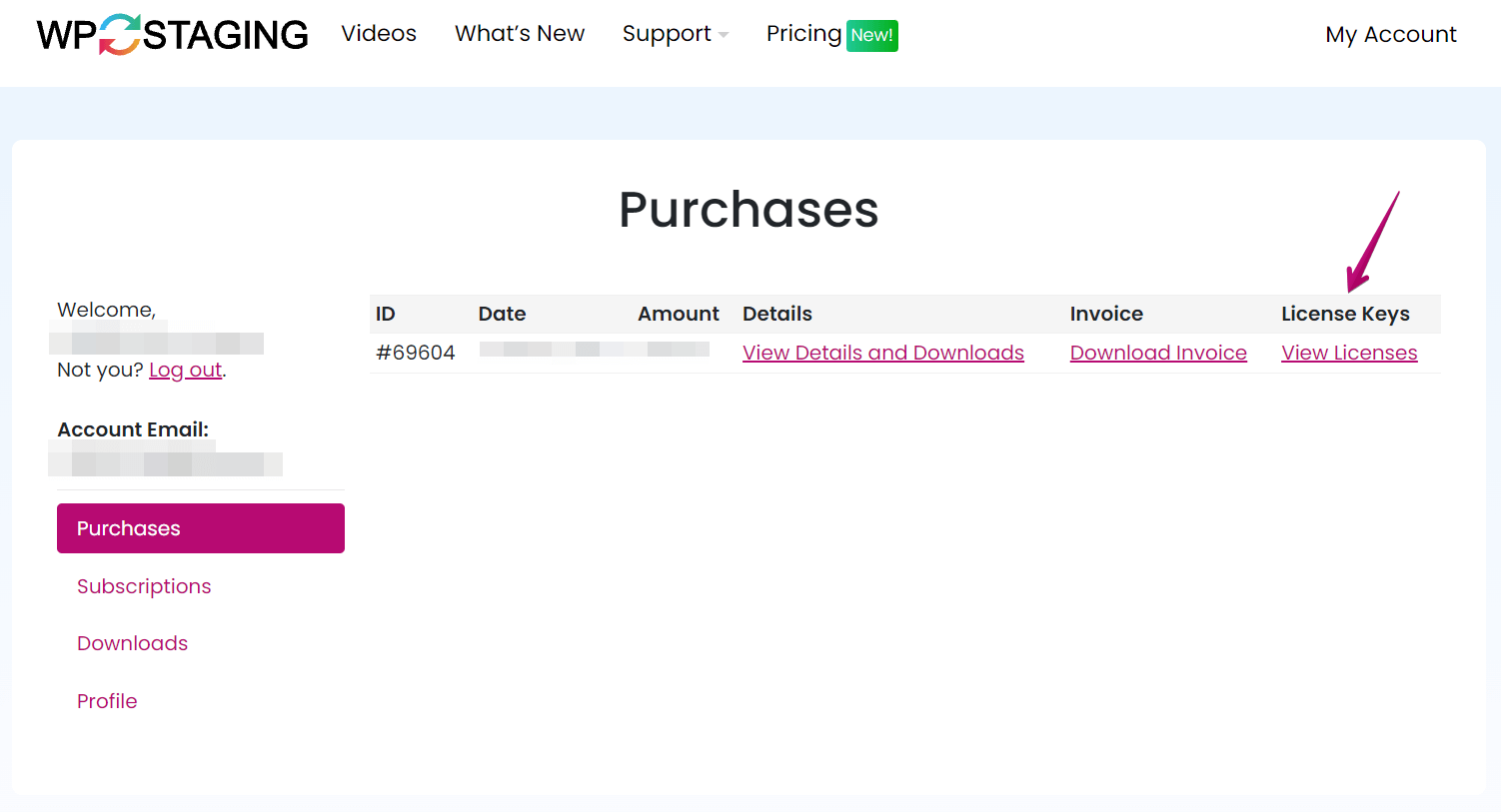
  • Melde dich in deinem Konto an
  • Klicke auf Lizenzen anzeigen
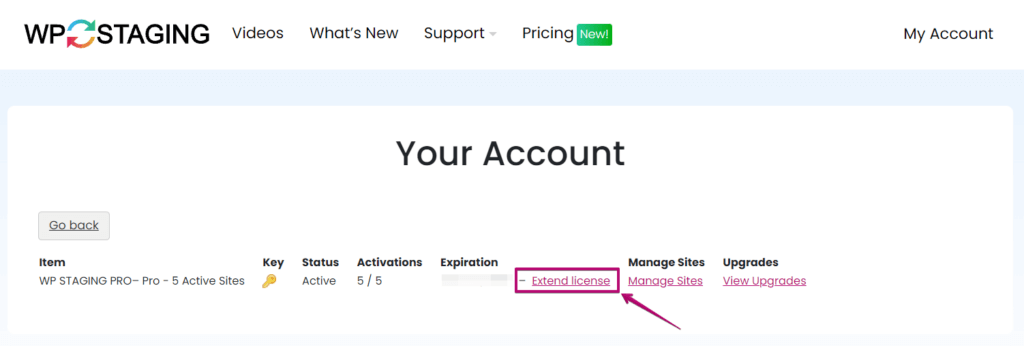
    Your Account • WP STAGING License Key
  • Klicke auf Lizenz verlängern
  • Du wirst zu einer Zahlungsseite weitergeleitet.
  • Führe die Zahlung durch, um zu verlängern.
WP STAGING Renew Licensen Option

Updated on März 9, 2026

Post navigation

Lizenz auf einen höheren Plan und mehr aktive Seiten upgraden →
  • More results...

    Generic selectors
    Exact matches only
    Search in title
    Search in content
    Post Type Selectors
    Search in posts
    Search in pages
    Filter by Categories
    Uncategorized
    Sicherheit
  • Categories

    • Installation
    • Kauf & Lizenz
    • Migration
    • Remote Sync
    • Backup & Restore
    • Staging Seiten
    • WP Staging CLI
    • Multisites
    • Magic Login Links
    • Fehlerbehebung
    • Meistgestellte Fragen
    • Wissensdatenbank
Join Our Newsletter

Get WP Staging release notes, special offers, news and tutorials in your inbox.

Subscriber Form
Company
  • Quality Assurance
  • Our Story
  • Reviews
  • About Us
  • Open Jobs
  • Contact us
Resources
  • All Pro Features
  • FAQ
  • Documentation
  • Blog
  • Refund Policy
  • Privacy Policy
  • Security Policy
  • Status
Partners
  • Affiliate Program
  • Press Kit
  • Compatible Hosts
  • Recommended Tools
  • Custom Development
Top Articles
  • How to Backup WordPress Automatically
  • How to Backup WordPress Manually
  • Transfer WordPress to New Host
  • Activate WordPress Debug Mode
  • Backup Website to Amazon S3
  • A Developer Short Story

  • EN
  • DE
  • Terms
  • Imprint