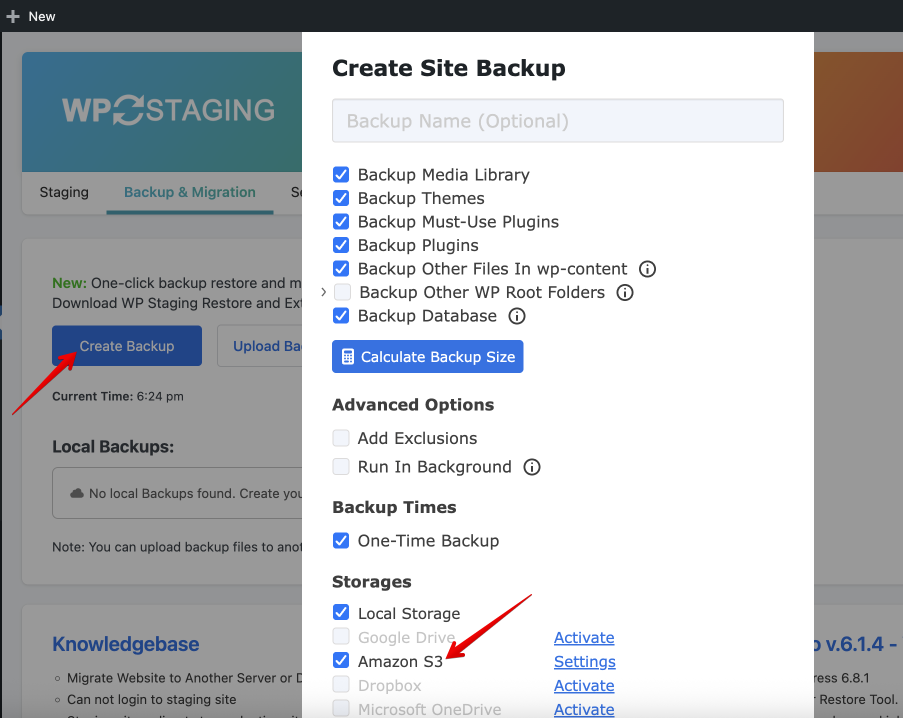
WP STAGING allows you to upload a backup of your website to Amazon S3.
So, no matter what happens to your website, you will always have access to the backup file and will be able to restore your website from it.
To backup, your website to Amazon S3, learn how to set up the API credentials first.
Go to WP STAGING > Settings > Remote Storage Providers > Amazon S3:
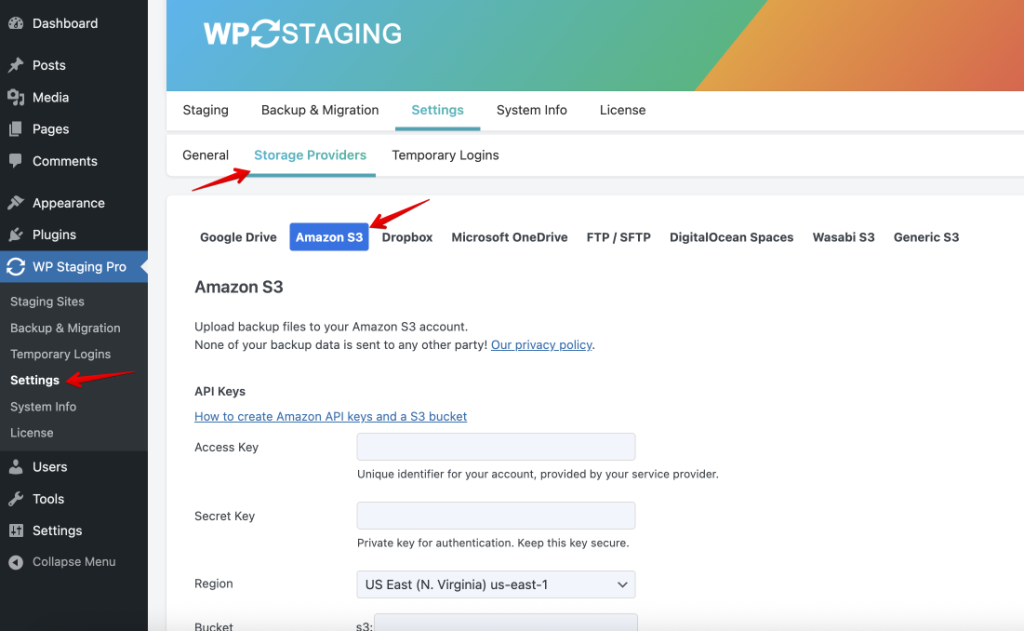
Then follow these steps:
1. Create a new account on Amazon AWS services or log into your account if you already have one.
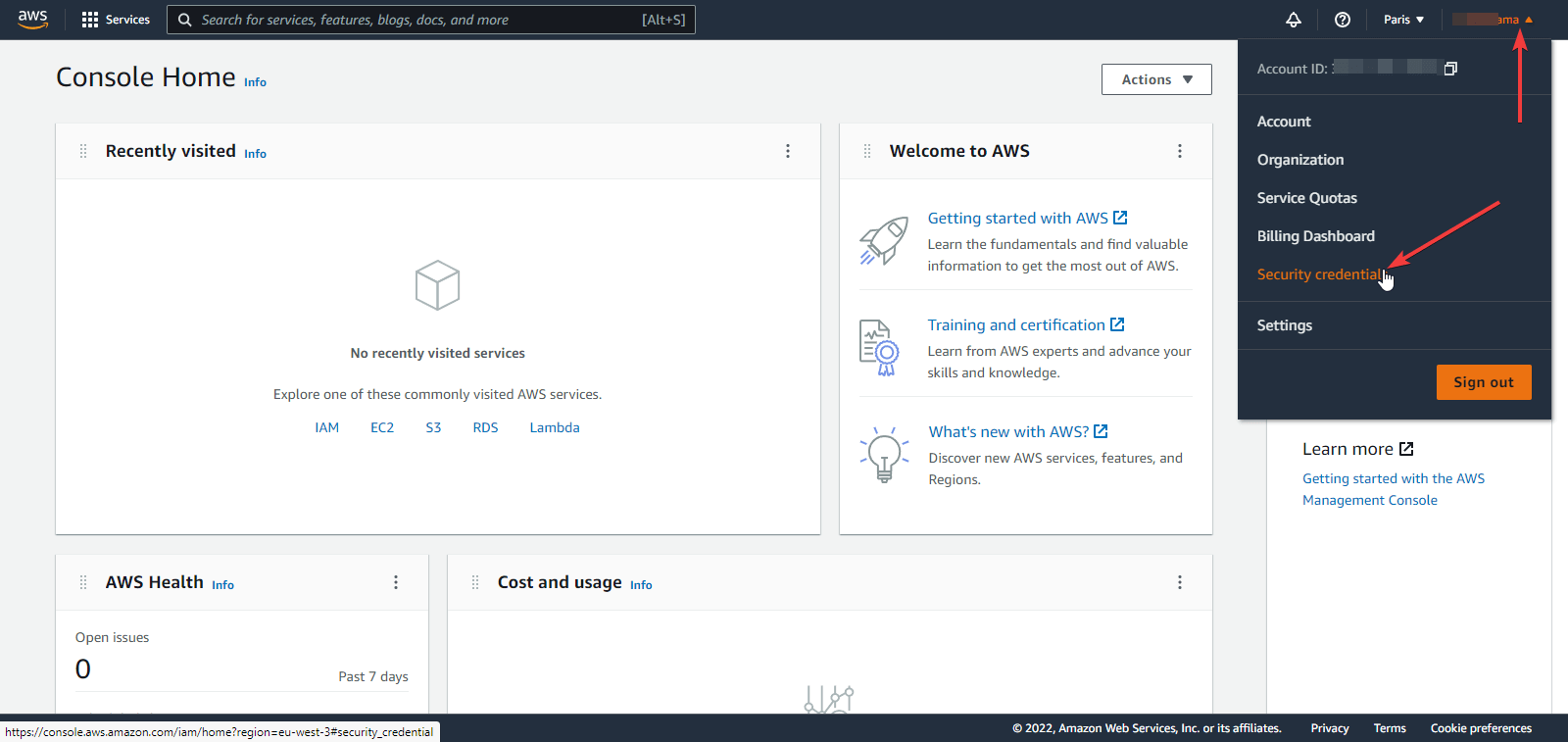
2. On the Amazon AWS console page, click on your profile name, then on “Security Credentials“:
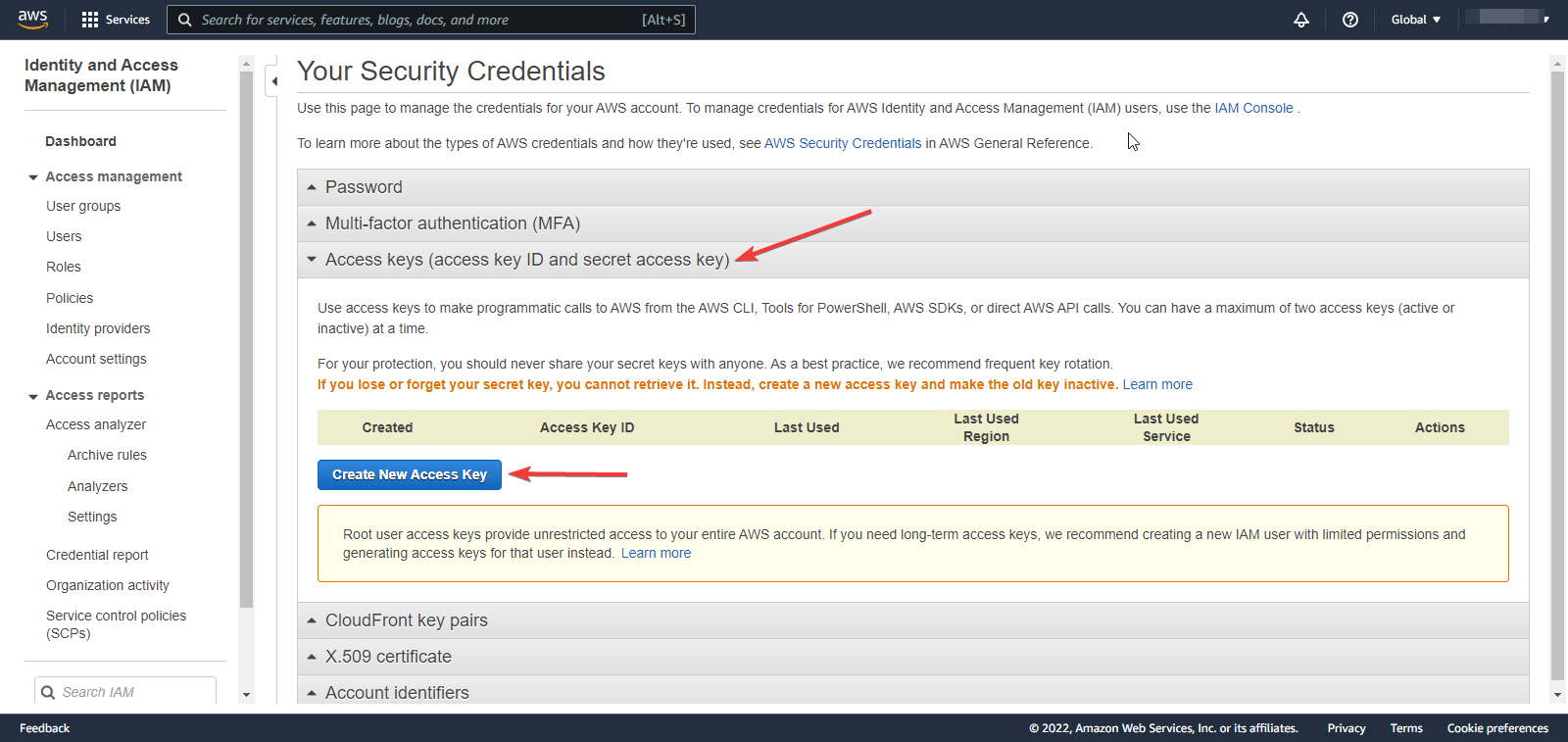
3. On the “Security Credentials” page, click on “Access keys” then “Create New Access Key“:
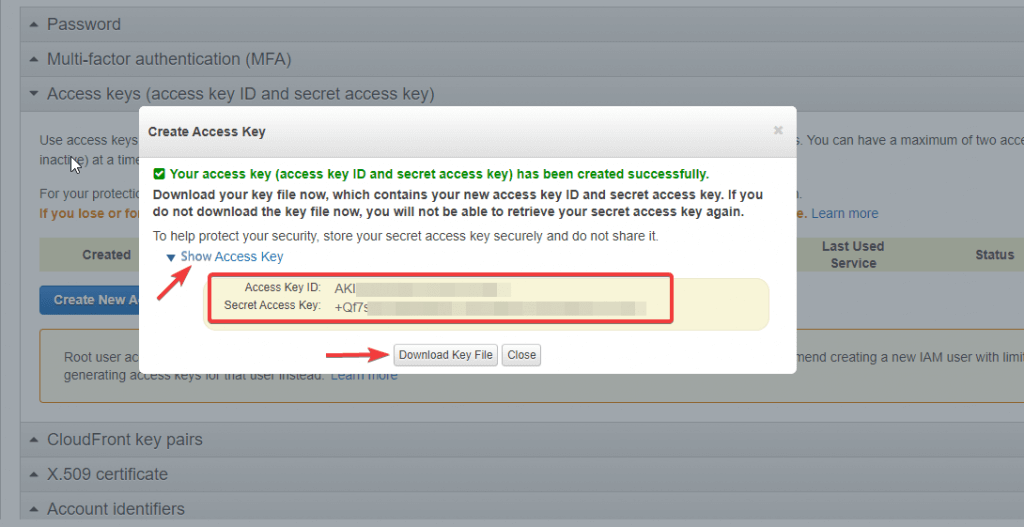
4. After that, click on “Show Access Key.“
Feel free to download the file as a backup on your hard drive (the secret key won’t be shown again).
Then copy the “Access Key” and “Secret Key” to their corresponding fields in WP STAGING > Settings > Remote Storages > Amazon S3.
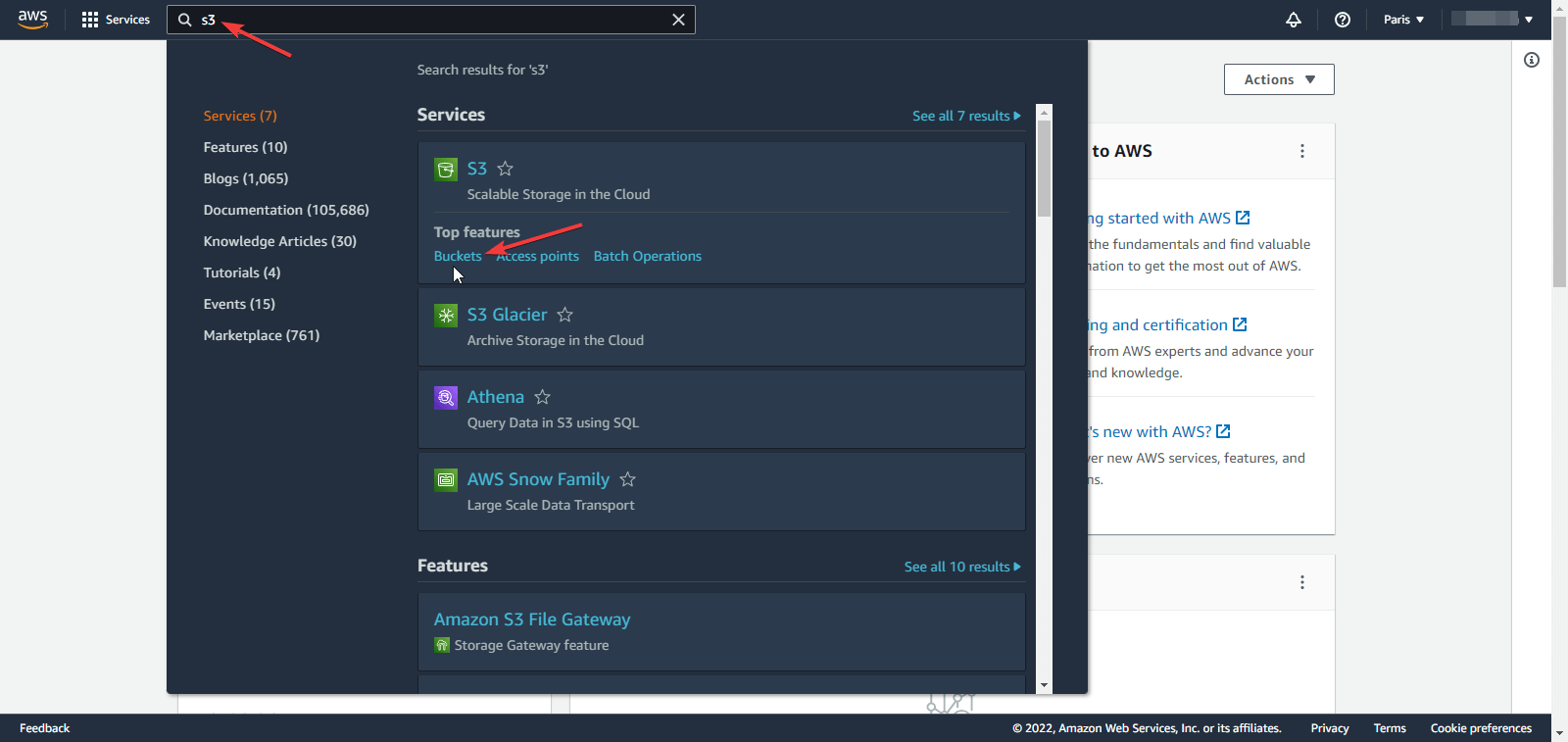
5. Now, go back to the AWS Console homepage, search for “S3” and go to “Buckets“:
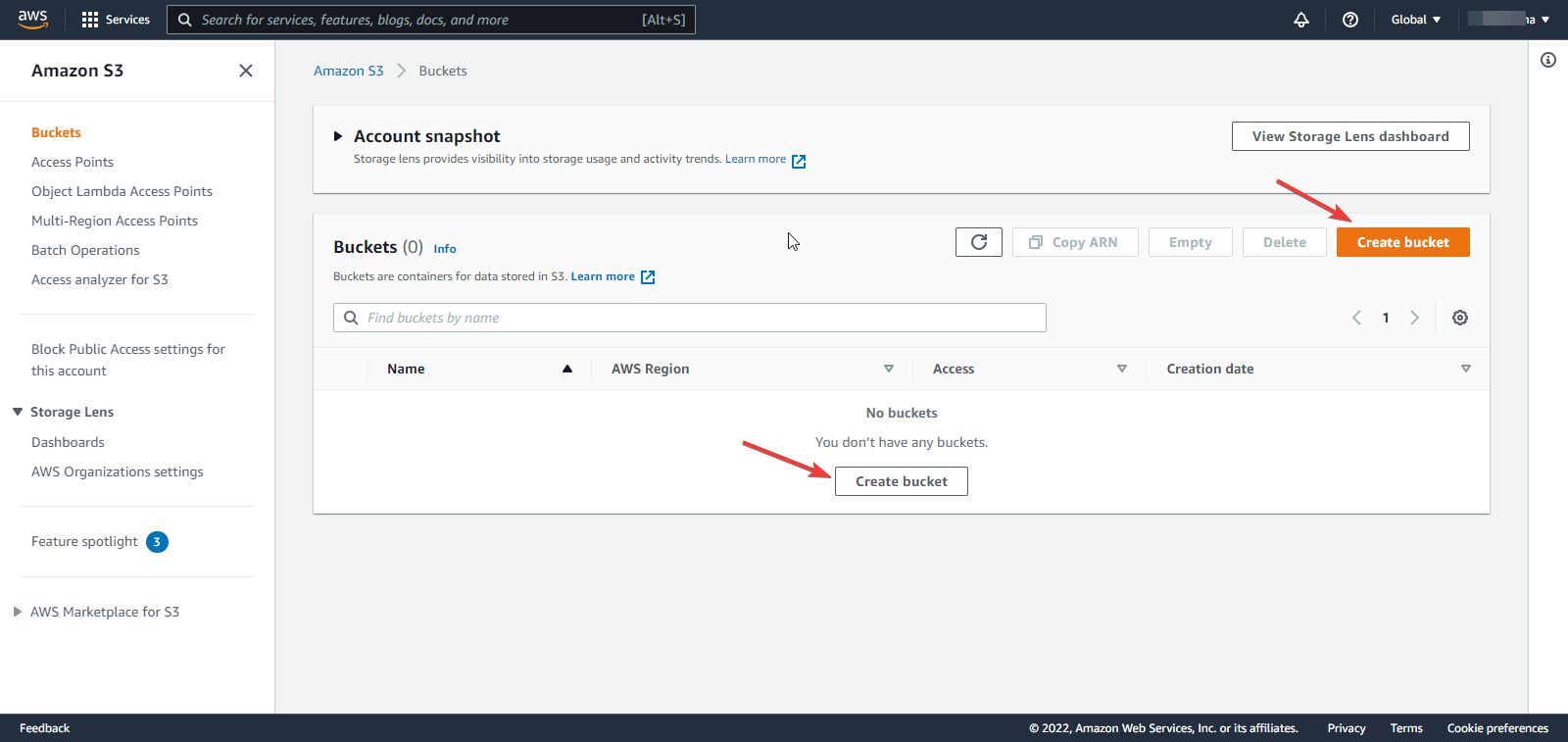
6. Click on the “Create bucket” button:
7. Fill in the “Bucket name” and “AWS Region” and make sure to take a note of them:
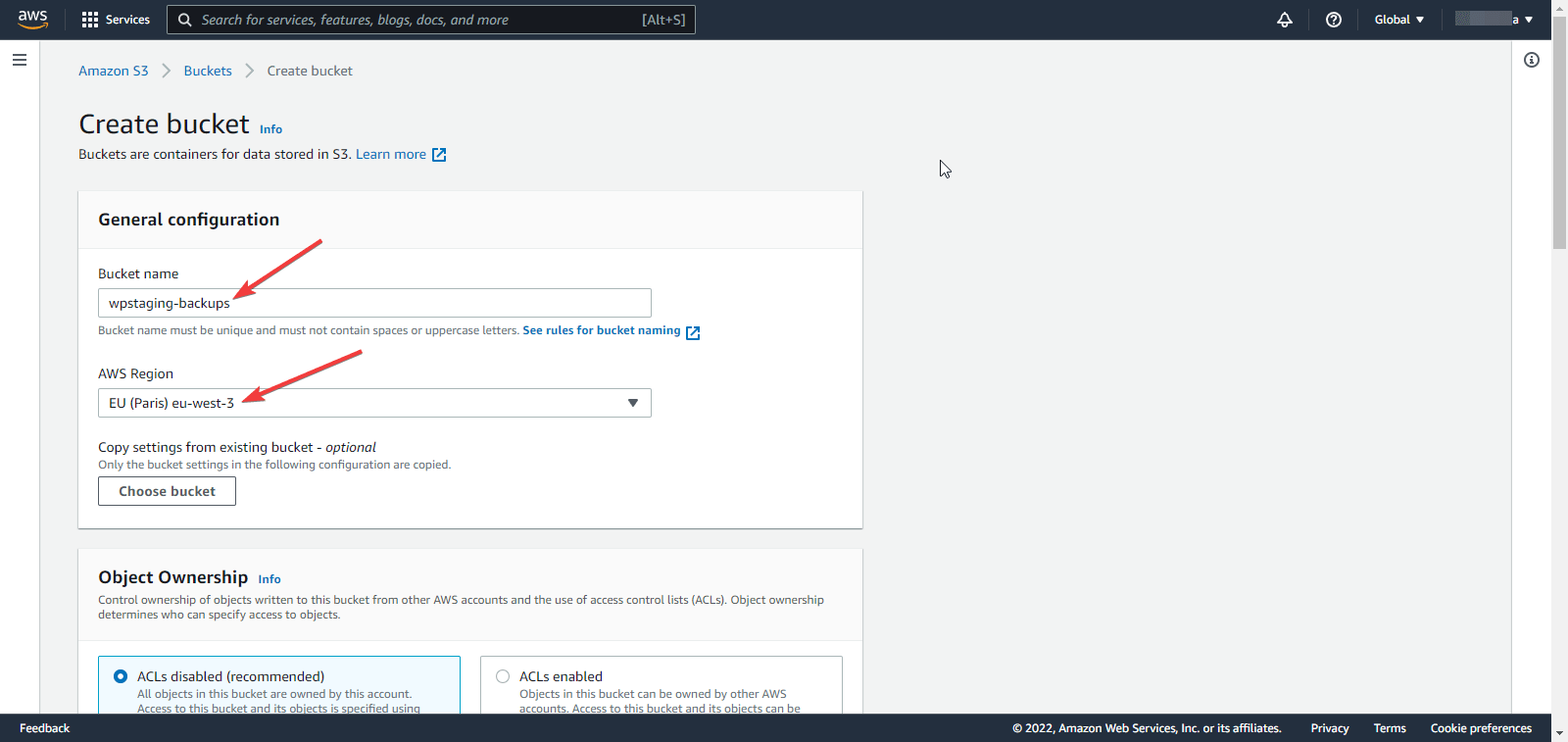
8. Feel free to keep the other options to the defaults or adjust them to your needs, then scroll down the page and click on the “Create bucket” button.
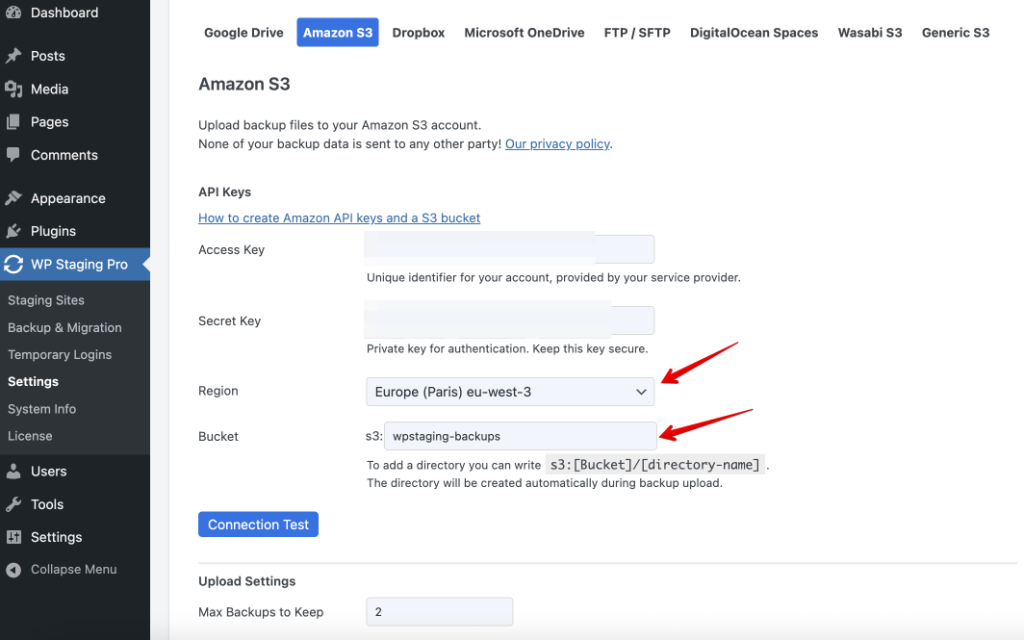
9. Fill the “Region” and “Location” in the plugin’s settings accordingly:
10. Now you are ready to create your first backup on Amazon S3: