Skip to content
wp staging logo
  • Videos
  • What’s New
  • Get Help
    • Documentation
    • Contact Support
    • Recommended Tools
    • Custom Development
    • Blog
  • Pricing
  • My Account
  • Download
  • EN
    • EN
    • DE
 

How to Create a WordPress Magic Login Link to Share it With Clients

Generate a Login Link

Once you set up your staging site, you can generate a login link for your team members or clients. The easiest way to do this is by using the WP Staging plugin, which has a built-in login link generator.

1. Navigate to WP Staging > Sites

2. Click “Actions.”
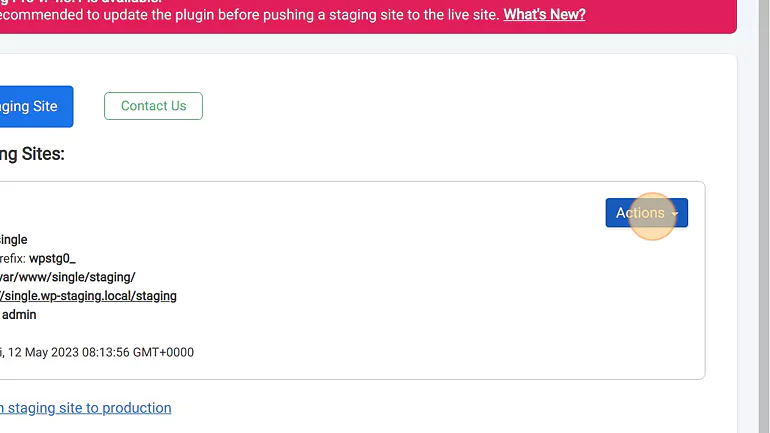
Create a magic login link

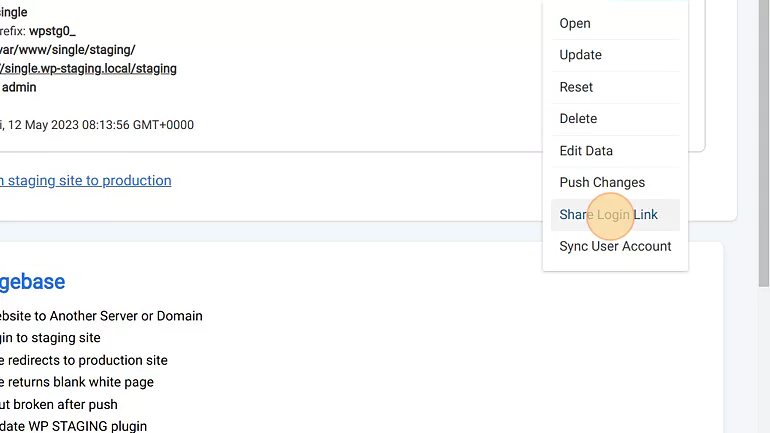
3. Click “Share Login Link”

share login link button

4. Select the user role that should be able to access the site
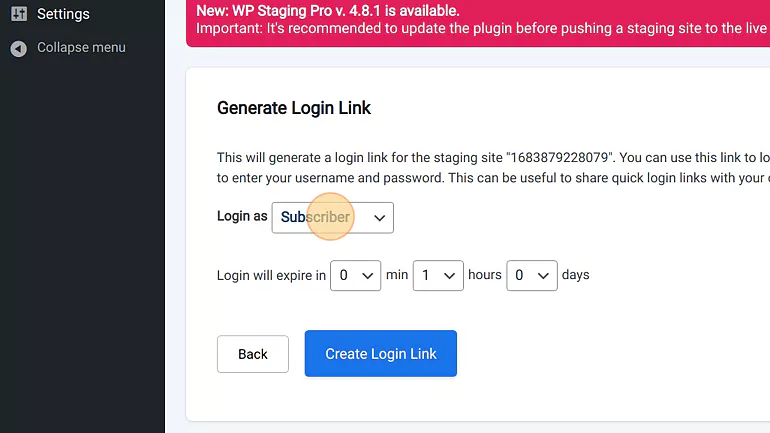
5. Select the login link expiration time
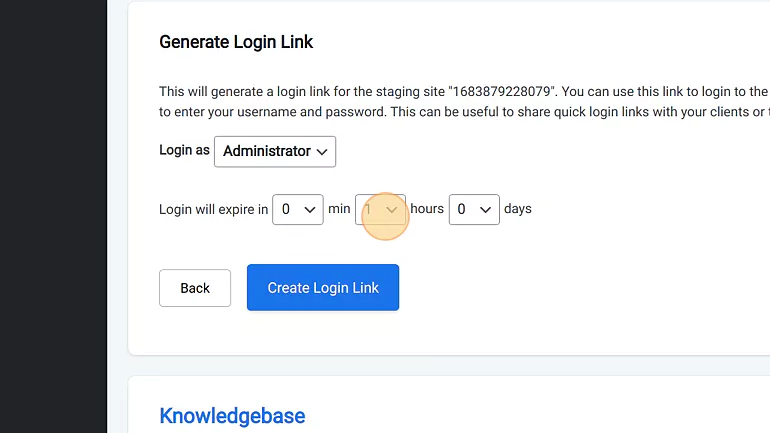
Magic login link expiration time

6. Click “Create Login Link”
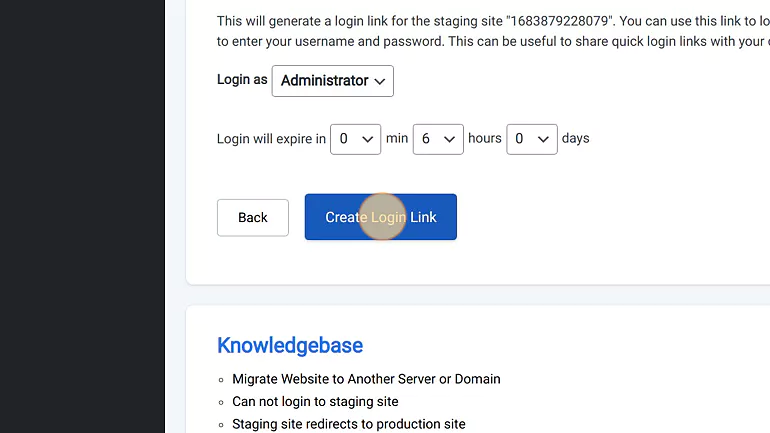
create login link

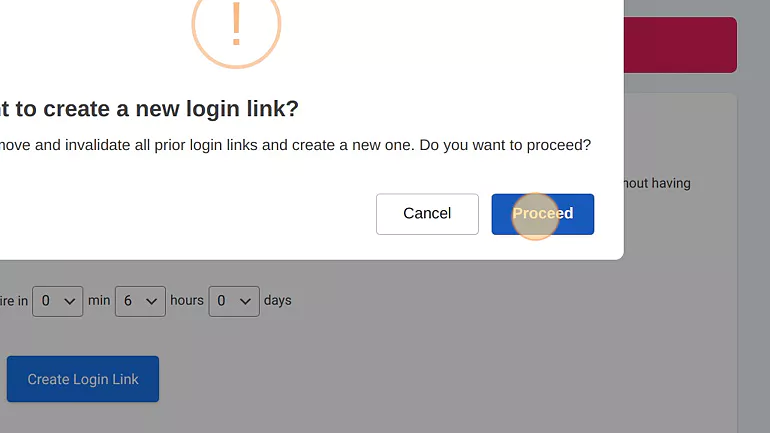
7. Click “Proceed”

confirm magic link creation

8. Click the generated link to copy it
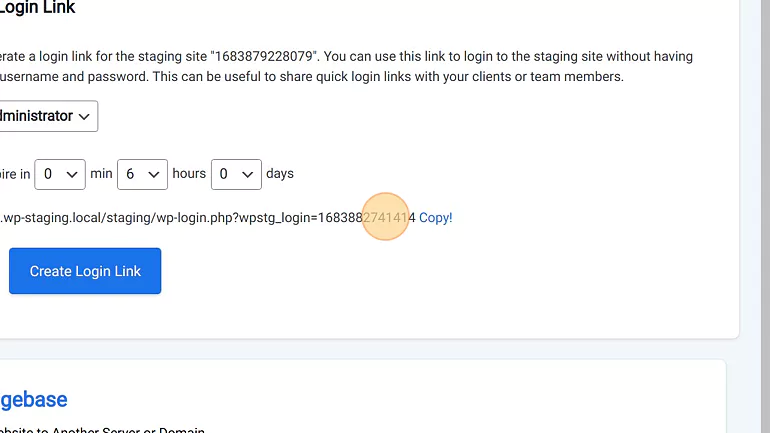
copy login link and send it to client.

Share the Link

Now that you have your login link, it’s time to share it with your team members or clients. You can do this via email, chat, or any other communication tool you’re using. Ensure to include clear instructions on using the login link and any login credentials needed.

Related Articles

  • Give client access to staging site without making the website public available to search engines
  • Can Not Login to WordPress Staging Website
  • Can not Login after Restoring Backup

Updated on March 9, 2026

Post navigation

← How to Exclude WooCommerce Orders from Being Copied to the Live Site with "HPOS"Synchronization of User Account Credentials with Staging Site →
  • More results...

    Generic selectors
    Exact matches only
    Search in title
    Search in content
    Post Type Selectors
    Search in posts
    Search in pages
    Filter by Categories
    Blog
    Tutorials
    Knowledge Base
    News
    Backup
    Security
    SEO
    Troubleshooting
    Release Notes
  • Categories

    • Installation
    • Purchase & License
    • Migration
    • Remote Sync
    • Backup & Restore
    • Staging Sites
    • WP Staging CLI
    • Multisites
    • Magic Login Links
    • Troubleshooting
    • Frequently Asked Questions
    • Knowledgebase
Join Our Newsletter

Get WP Staging release notes, special offers, news and tutorials in your inbox.

Subscriber Form
Company
  • Quality Assurance
  • Our Story
  • Reviews
  • About Us
  • Open Jobs
  • Contact us
Resources
  • All Pro Features
  • FAQ
  • Documentation
  • Blog
  • Refund Policy
  • Privacy Policy
  • Security Policy
  • Status
Partners
  • Affiliate Program
  • Press Kit
  • Compatible Hosts
  • Recommended Tools
  • Custom Development
Top Articles
  • How to Backup WordPress Automatically
  • How to Backup WordPress Manually
  • Transfer WordPress to New Host
  • Activate WordPress Debug Mode
  • Backup Website to Amazon S3
  • A Developer Short Story

  • EN
  • DE
  • Terms
  • Imprint